
Xbox Controller Not Connecting Fix: Fix It Fast, From Dead Batteries to the Eight-Controller Limit
You press the Xbox button, the light blinks, and nothing happens — just a controller that refuses to pair. This xbox controller not connecting fix guide takes the fastest route through it: cheapest cause first, then the cable test, then a clean re-pair.
Console and PC have different limits: Xbox pairs up to eight controllers at once, while Windows allows only one over Bluetooth at a time. Test after each step — most readers stop by the third, and the xbox controller not connecting fix is done.
Table of Contents
Read the Light First
Fix 1: Fresh Batteries
Fix 2: The USB-C Cable Test
Fix 3: Re-Pair the Controller
Fix 4: The 8-Controller Limit
Fix 5: Windows Bluetooth
Fix 6: Firmware
Quick-Fix Checklist
When It Is a Hardware Fault
Frequently Asked Questions
Read the Light First: What Your Controller Is Telling You
SUMMARY: Read the Xbox button light first — it shows no power, searching, or an existing connection.
A slow, steady flash means the controller is searching for a device it knows. A rapid flash means it is waiting to pair with something new. A steady light means it is connected, possibly to another device. Reading the light first saves you from chasing the wrong fault in an xbox controller not connecting fix.
If the light blinks and the controller switches itself off, that points at power, not pairing. A light that stays dark means no power at all. Newer controllers remember one Xbox Wireless device and one Bluetooth device — double-tap Pair to switch. A controller that seems dead may be paired to your phone or PC, so let the light decide which xbox controller not connecting fix you need.
Fix 1: Fresh Batteries — the Most Common Xbox Controller Not Connecting Fix
SUMMARY: Dead or low batteries are the single most common cause, so swap in a fresh set before you touch any setting.
Dead or low batteries are the most common reason a controller will not connect. Partly charged batteries cause more trouble than dead ones — a weak controller may light up, blink, then give up mid-pairing.
Fit fresh matching alkaline AA batteries; do not mix old and new. If you use a rechargeable battery pack, charge it fully first. Then hold the Xbox button about 10 seconds until the controller switches off, wait, and press it again — the first move in any xbox controller not connecting fix.
If it pairs, the old batteries were the whole story. If the light stays dark, move to the cable test. A controller that stays dark on USB power with a known-good cable and port needs replacing, Microsoft says — the one outcome no xbox controller not connecting fix can solve at home.
Fix 2: The USB-C Cable Test That Separates Hardware From Wireless Faults
SUMMARY: A wired test tells you in one minute whether the controller itself works, so plug it in with a data cable before you blame Bluetooth in this xbox controller not connecting fix.
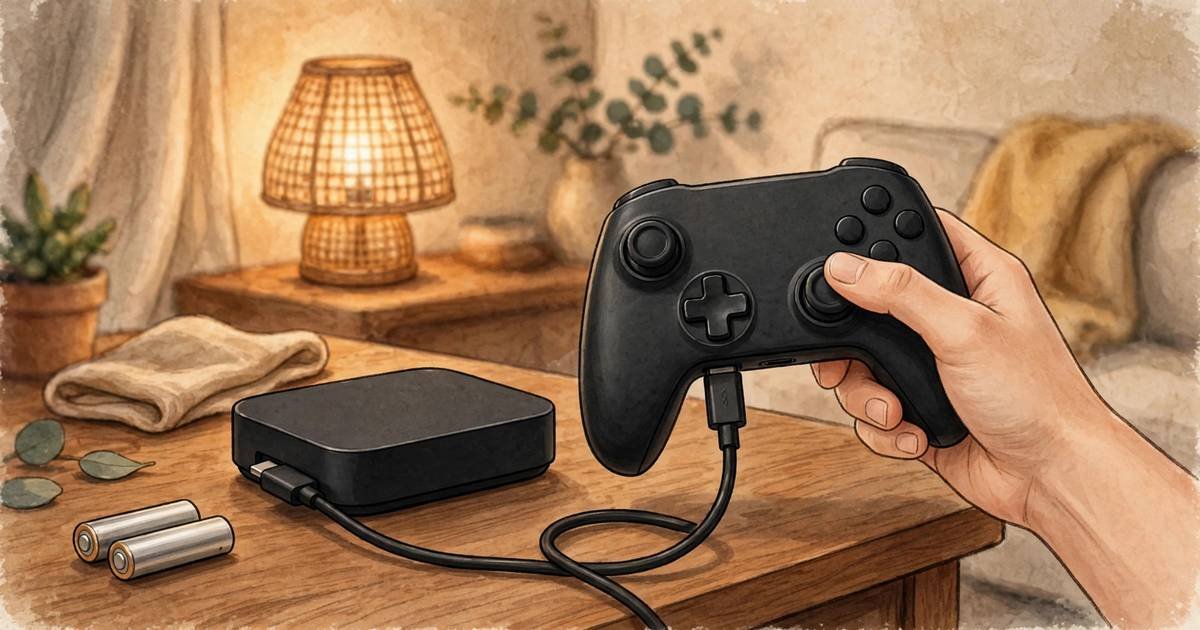
Plug the controller into the console with a known-good data cable — USB-C for Series X|S, micro-USB for Xbox One — and press the Xbox button once. Use the console, not a hub.
Charge-only cables carry no data, so one of those will charge the controller and never connect it. Use a cable you know carries data.
If the controller works wired but not wirelessly, the controller itself is fine and the fault is wireless: pairing, interference, or a limit you have hit. If it does not work even wired, the fault is in the controller, the cable, or the port. That one-minute answer is the turning point of this xbox controller not connecting fix.
Fix 3: Re-Pair the Controller to the Console
SUMMARY: If power and the cable check out, the pairing itself has usually gone stale, so pair the controller to the console again from scratch.
Pairings go stale after updates, after use on another device, or after a failed attempt leaves the link half-finished. A clean re-pair clears that state — the step most xbox controller not connecting fix guides put first for console players.
Turn the console on. Press and release the console’s Pair button, then within about 20 seconds hold the controller’s Pair button for about three seconds until the Xbox button flashes rapidly. When the light goes steady, the controller is paired.
If you cannot reach the console’s Pair button, use a working controller instead. If pairing still stalls, power-cycle the console: hold its power button about 10 seconds until it shuts off, wait and switch it back on. Try the re-pair once more — for many players, this is the step where the xbox controller not connecting fix finally lands.
XboxAdvisor’s guide covers the same re-pair steps at xboxadvisor.com.
Fix 4: The 8-Controller Limit on Console — and How to Free a Slot
SUMMARY: An Xbox console pairs up to eight controllers at once, so a ninth controller cannot pair until you disconnect one that is already connected.
An Xbox console supports up to eight controllers at once, and a ninth will not pair until one of the eight is disconnected. The console will not always say why, which is why this xbox controller not connecting fix catches so many players out.
Count what is connected first. A controller left on, a friend’s controller, and a pad that never switched off all count. Turn off any controller you are not using, then try pairing the new one again.
You can also remove a pairing under Settings, then Devices and connections, then Accessories. This eight-controller limit is console-only — the Windows limit below is different.
That free slot is the whole xbox controller not connecting fix here.
Fix 5: Windows Bluetooth — Re-Pair and the One-Controller Limit
SUMMARY: On a PC, Windows 11 updates have repeatedly broken Xbox Bluetooth pairings, and Windows allows only one Bluetooth-connected Xbox controller at a time.
Windows 11 feature updates have repeatedly broken existing Xbox Bluetooth pairings, so a controller that paired fine last month can suddenly refuse. Do not retry the old pairing — remove it and start fresh: a fresh pair is the heart of the xbox controller not connecting fix on PC.
First disconnect the controller from the console: hold the Xbox button until its light stops. Then, on Windows 11, go to Settings, then Bluetooth and devices, then Devices, then Add device, then Bluetooth. Hold the controller’s Pair button for about three seconds until the Xbox button flashes rapidly, select Xbox Wireless Controller, and choose Connect.
If it appears but will not connect, remove it in Bluetooth settings and pair it again. Original Xbox One controllers lack Bluetooth; One S and Series controllers have it.
Windows allows only one Bluetooth-connected Xbox controller at a time. A second will not pair while the first is connected, so disconnect the first. If you need two on one PC, wire the extra one — a wired controller does not use the Bluetooth slot.
Fix 6: Firmware, Interference and the 15-Minute Idle Timeout
SUMMARY: Old firmware, nearby wireless devices and the idle timeout cause the faults that look random, so update the firmware, move closer and clear the airwaves.
Old controller firmware can cause Bluetooth and connection faults, so update it: connect the controller to an Xbox console or a PC with a USB cable, open the Xbox Accessories app, and install any pending firmware update — a quick step in any xbox controller not connecting fix.
Xbox controllers use 2.4GHz wireless, the same frequency as Wi-Fi routers, so a controller that drops in one spot but works in another is usually fighting something nearby. Move closer, within 10 to 15 feet. Keep routers and USB hubs away, and switch off unused Bluetooth devices while you pair.
An idle controller auto-disconnects after about 15 minutes, so it switches itself off. Press the Xbox button to wake it. If it only ever “fails” after sitting untouched, the timeout is the explanation — no xbox controller not connecting fix is needed.
Xbox Gamer Tag Finder’s guide covers the same steps at xboxgamertagfinder.com.
Quick-Fix Checklist: The Xbox Controller Not Connecting Fix in One Table
SUMMARY: Work through the fix in order, from the fastest step to the last resort, and stop as soon as the controller pairs.
| Step | Fix | Where |
|---|---|---|
| 1 | Read the Xbox button light | Console and PC |
| 2 | Fresh AA batteries | Console and PC |
| 3 | Restart the controller | Console and PC |
| 4 | Test with a data cable | Console and PC |
| 5 | Re-pair with the Pair buttons | Console |
| 6 | Power-cycle the console | Console |
| 7 | Free a slot if eight are already paired | Console |
| 8 | Remove it in Windows Bluetooth and pair again | PC |
| 9 | Disconnect the first controller before pairing a second | PC |
| 10 | Update the firmware | Console and PC |
| 11 | Move closer, clear interference | Console and PC |
Work through the table in order. Fresh power, a cable test, a clean re-pair, and respect for the limits — that is the whole xbox controller not connecting fix in most cases.
When It Is a Hardware Fault, Not a Connection Problem
SUMMARY: If this xbox controller not connecting fix has not worked, test one more controller on the same console or PC to find out whether the fault sits in the controller or in the console.
If the controller still will not connect after this xbox controller not connecting fix, run one test: try a different controller. If the second pairs, the first is the problem; if none pairs, the fault is in the console or PC.
A controller that stays dark on USB power with a known-good cable and port needs replacing, Microsoft says — contact Xbox Support. If several fail the same way, the console’s wireless receiver is the likely fault — a repair, not a settings problem. That single test ends the guessing in any xbox controller not connecting fix.
For a related console-side problem, see our Xbox controller won’t connect to console fix. If the console is shutting down, our Xbox Series X overheating fix covers that step, and our GTA 6 Not Launching PS5 guide covers launch-night fixes. For more Xbox help, visit the GameCresta homepage.
Frequently Asked Questions
SUMMARY: Quick answers about this xbox controller not connecting fix, from blinking lights to the console and Windows limits.
Why does my Xbox controller keep blinking and not connecting?
A blinking Xbox button means the controller is searching or waiting. Start with fresh batteries, then re-pair — a slow blink that never connects means a lost pairing, see Fix 3 of this xbox controller not connecting fix.
How do I pair an Xbox controller to my console?
Press the console’s Pair button, then hold the controller’s Pair button until the Xbox button flashes rapidly. When the light goes steady, the controller is paired, and the xbox controller not connecting fix is done.
Why won’t my Xbox controller connect to my PC over Bluetooth?
Windows 11 updates have repeatedly broken existing Xbox Bluetooth pairings. Remove the controller and pair it again — that fresh pair is the core of the xbox controller not connecting fix on PC.
How many controllers can connect to one Xbox at the same time?
An Xbox console supports up to eight controllers at once. A ninth will not pair until one is disconnected — the key number in this xbox controller not connecting fix. On Windows only one can connect over Bluetooth at a time.
Why does my Xbox controller disconnect after a few minutes?
An idle controller auto-disconnects after about 15 minutes, so it switches itself off. Press the Xbox button to wake it. If it drops while you play, check the batteries first — the usual xbox controller not connecting fix for mid-game dropouts.
My controller works with a cable but not wirelessly — what is wrong?
The controller itself is fine, so the fault is wireless. Re-pair it, check the controller limits on console and Windows. If it stays dark even wired, it needs replacing — the one case this xbox controller not connecting fix cannot repair.
For More Updates Visits: GAME CRESTA