
Nintendo Switch Overheating Fix: Cool It Down Fast
A warm Switch is normal. A Switch that shows a heat warning, shuts itself down, or gets too hot to hold is not, and that is when a careful nintendo switch overheating fix matters. Start with the golden rule of any nintendo switch overheating fix: power the console off, take it out of the dock, and let it cool on a hard, open surface. Never use a freezer or ice pack: fast temperature changes cause moisture inside.
In this guide:
- Warm or Overheating?
- Why a Switch Gets Hot
- First Aid
- Give the Vents Room to Breathe
- Clean the Vents and Fan Safely
- Cases and Accessories
- Update and Test One Game
- Docked Play Checks
- Signs Your Fan May Be Failing
- A Quick Note on the Switch 2
- Contact Nintendo Support
- Habits That Keep It Cool
- Frequently Asked Questions
Warm or Overheating: How to Tell the Difference
SUMMARY: Warmth is normal; warnings and shutdowns are not. Here is how to tell them apart.
Nintendo says your console may get hot when charging or during use, including in Sleep Mode, and that warmth alone is not a defect. In a nintendo switch overheating fix, real overheating means a heat warning, a sudden shutdown, a fan roaring on the home screen, or a console too hot to hold. Nintendo also cautions that skin in prolonged contact with a hot console could suffer a low-temperature burn, so do not leave a warm Switch on your lap for hours. That distinction is the first step of any nintendo switch overheating fix.
Why a Switch Gets Hot in the First Place
SUMMARY: Blocked vents, dust, dock placement, and long sessions cause most hot consoles.
A Switch cools itself with a small fan, a heat sink, and vents. When airflow slows, heat builds up faster than cooling can remove it. Blocked vents are the most common cause in a nintendo switch overheating fix: a console against a wall, in a closed cabinet, or on thick carpet recirculates its own hot air, and dust does the same.
| Symptom | Likely cause | First fix to try |
|---|---|---|
| Warm back, fan audible | Normal load | Rest it, check vents |
| Heat warning or shutdown | Blocked vents, dust | Power off, cool, clean vents |
| Hot only docked | Dock placement | Move dock into open space |
First Aid: Cool It Down Safely Right Now
SUMMARY: Stop playing, power off, and let the console cool before you try anything else.
If your Switch is hot right now, stop playing and protect it from more heat. A safe nintendo switch overheating fix starts with cooling.
- Power off completely, not Sleep Mode.
- Take it out of the dock and unplug the charger.
- Set it on a hard, open surface in a cool room.
- Wait at least 20 to 30 minutes until it feels cool.
- Never use a freezer, an ice pack, or cold air: fast temperature changes cause moisture inside.
Once cool, test after each change in this nintendo switch overheating fix. If the heat warning returns straight after a full cool-down, skip to the Nintendo support section.
Nintendo Switch Overheating Fix: Give the Vents Room to Breathe
SUMMARY: The vents need clear space on every side so hot air can escape.
Airflow is the heart of every nintendo switch overheating fix. Nintendo says to leave at least 10 cm around the air intake and air vent, about four inches; iFixit recommends four to six inches docked.
Pull the dock away from the wall and out of any closed cabinet, onto a hard surface, not carpet or bedding. If the console only overheats while docked, moving the dock into open air is often the whole nintendo switch overheating fix.
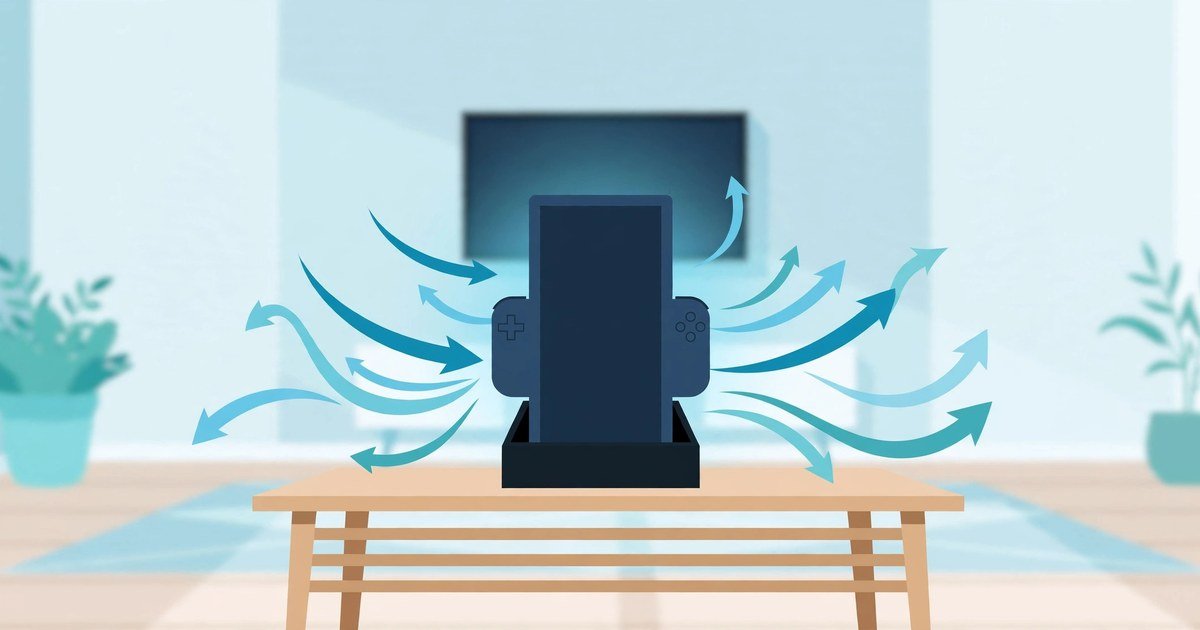
Do not play with the console under a blanket, in a closed bag, or against a cushion covering the rear vents. Nintendo says to use the console between 5 and 35 degrees Celsius (41 to 95 degrees Fahrenheit), for the original Switch, OLED, Lite, and Switch 2.
Clean the Vents and Fan Without Opening the Console
SUMMARY: Clean dust from the outside only, and never push anything into the vents.
Dust builds up slowly until the fan works twice as hard to push air through a half-blocked vent. If you see lint, pet hair, or grey dust in the openings, airflow is restricted, and a nintendo switch overheating fix has to start there.
Start this nintendo switch overheating fix with a vacuum cleaner or a soft brush, working gently. Compressed air can help in short bursts from a safe distance. Never insert a pin, a toothpick, or any metal tool into the vents.
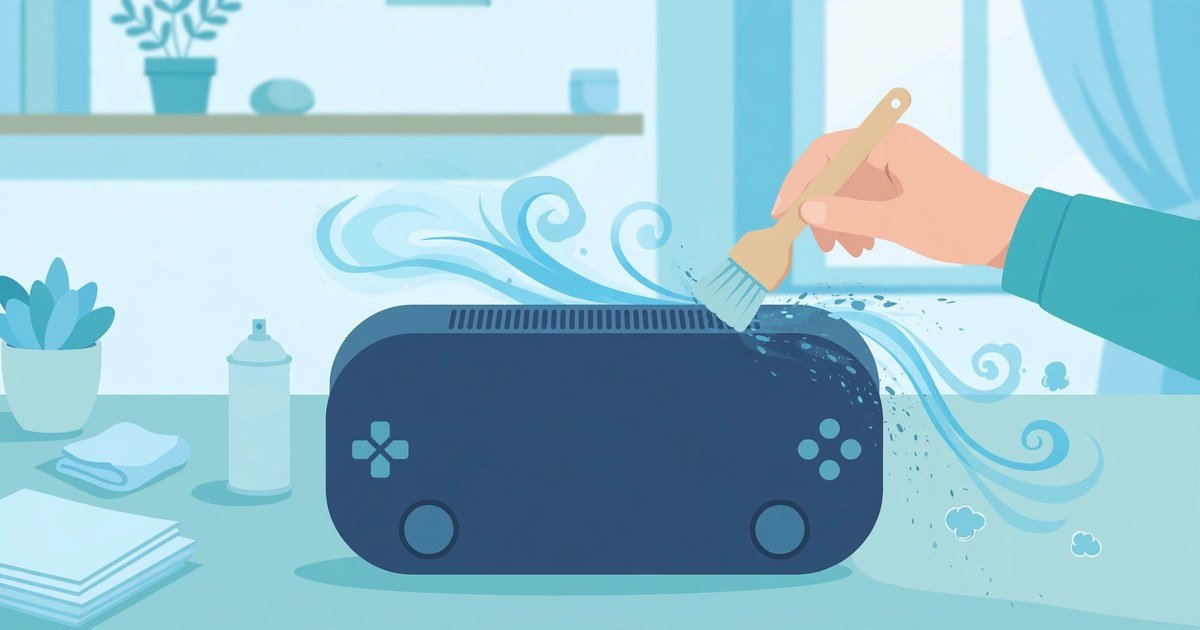
A vent that still looks clogged may hold buildup inside, and that calls for a technician. Wipe dust from the openings regularly as part of this nintendo switch overheating fix, and check more often if you have pets.
Take Off the Case and Check Your Accessories
SUMMARY: Cases and cheap accessories can trap heat. Here is how to test yours.
Some shells and grips partly cover the rear vents, and a console that only overheats with its case on tells you what is wrong. Take the case off and test it. If temperatures improve, switch to a thinner case with open vent areas.
Accessories deserve the same test in a nintendo switch overheating fix. iFixit warns that low-quality accessories may not deliver proper power or cooling, and some third-party cooling fans can even make a Switch overheat. Remove all connected accessories, then check whether the console still runs hot. If the problem stops, plug them back in one at a time until the heat returns. Use the official Nintendo adapter and dock while diagnosing.
Update the System and Test One Game at a Time
SUMMARY: A restart and an update can stop a software glitch from overworking the console.
A software glitch can make a game or process run harder than it should, which is why software comes first in a nintendo switch overheating fix. Fully power down the Switch, wait a minute, then turn it back on. Then install any available system updates and game updates. iFixit lists updates as a first basic, because bug fixes can stop the hardware from overworking.
If only one game overheats, test another: the problem may be that title, not the cooling hardware. For most players, the normal restart and update is enough, and it is the safest software step in any nintendo switch overheating fix.
Nintendo Switch Overheating Fix for Docked Play
SUMMARY: Dock-only checks: placement, the official dock, and a handheld comparison test.
Docked play creates the most heat: charging, video output, and longer sessions at once. A nintendo switch overheating fix for docked play therefore starts by separating the dock from the console as suspects: play handheld briefly in a cool room, then test docked with clear airflow, and compare.
If it only overheats in the dock, check the dock location, power adapter, and vent clearance, and move the dock into open space. Use the official Nintendo dock and adapter while testing. If the Switch overheats in both modes, this nintendo switch overheating fix points inside the console. For a related dock-and-power problem, our Nintendo Switch Won’t Turn On Fix walks through power and charging checks that pair well with this guide.
Signs Your Fan May Be Failing
SUMMARY: Fan sounds that point to a failing fan, not dust.
The fan is a common cause of recurring heat warnings, and it usually gives clues before it fails. Listening is the cheapest step in a nintendo switch overheating fix: grinding, rattling, squealing, or clicking mean the fan is struggling, so stop playing.
A silent fan is not a good sign either: a very hot console with no airflow sound may have a stuck fan. Repeated overheating can stress the battery, display, and motherboard, and the Switch may shut itself down to protect them. That shutdown is a safety feature, not a repair plan. Catching a dying fan early is the part of a nintendo switch overheating fix that saves the rest of the console. If your fan is loud on another handheld too, our Steam Deck Fan Loud Overheating Fix covers similar checks.
A Quick Note on the Switch 2
SUMMARY: How the Switch 2 handles heat differently: its warning and dock fan.
The Switch 2, launched June 5, 2025, follows the same 5 to 35 degrees Celsius range as earlier models. One difference: when a Switch 2 gets too hot, it can show an on-screen heat warning and force sleep mode to protect the silicon. No console-wide defect or recall has been established for the Switch 2.
The Switch 2 dock has its own fan, so if TV output or USB charging stops while the console is docked and hot, check that the dock fan is running in TV mode. Otherwise, this nintendo switch overheating fix treats the Switch 2 like the original: give it air, keep it clean, and let it cool down when it asks you to.
When to Contact Nintendo Support
SUMMARY: Warning signs that mean home checks are done.
Contact Nintendo support, or a qualified repair professional, when the console shuts down from heat more than once, shows repeated warnings, has a damaged vent or odd fan noise, or still gets hot after cleaning. The same applies after water exposure, a drop, or charging trouble. Knowing when to stop is part of any nintendo switch overheating fix.
Nintendo’s advice is the same: with any concerns, stop using the console and contact your local customer service centre. That is the right call when a nintendo switch overheating fix at home has not worked, because the remaining causes sit inside the console. A technician can inspect the fan, heat sink, battery, and motherboard. Read Nintendo’s official guidance at Nintendo Support: My console gets hot. Is it broken?, and the repair wiki at iFixit: Nintendo Switch Overheating.
Habits That Keep Your Switch Cool
SUMMARY: Simple ongoing habits that stop heat problems from coming back.
Fixing the heat once is good, and a nintendo switch overheating fix routine keeps it fixed.
- Keep the dock in the open, never back in a closed cabinet.
- Clean the vents every few weeks with a quick brush or vacuum.
- Take a cooling break after five to six hours of intense play.
- Charge on a hard surface, never under bedding or inside a closed bag.
- Store it cool: case it only after cooling down, never in direct sun or a car.
- Watch the room: above 35 degrees Celsius, move somewhere cooler.
If the heat returns, work the steps from the top again. And if a different Switch problem shows up next, our Joy-Con Drift Fix covers another common issue step by step. A steady nintendo switch overheating fix routine keeps the console healthy.
Frequently Asked Questions
SUMMARY: Answers to the most common questions.
Is it normal for my Switch to feel warm?
Yes. Nintendo says a console may get hot, and that warmth alone is not a defect. A heat warning or shutdown means a nintendo switch overheating fix is needed.
What temperature is safe for a Switch?
Between 5 and 35 degrees Celsius (41 to 95 degrees Fahrenheit), for the original Switch, OLED, Lite, and Switch 2.
Can I use compressed air on my Switch vents?
Yes, but carefully: short bursts from a safe distance, never held against the vent. Never push a pin, toothpick, or metal tool into the vents.
Why does my Switch only overheat when docked?
Docked play charges, outputs video, and runs longer sessions, which creates more heat. Move the dock into open space with at least 10 cm of clearance.
Does the Switch 2 overheat more than the original?
No console-wide defect or recall has been established for the Switch 2. The Switch 2 can show a heat warning and force sleep mode, and its dock fan should run in TV mode.
When should I stop fixing it myself?
Contact Nintendo support when the console shuts down from heat more than once, shows repeated warnings, has a damaged vent or odd fan noise, or still runs hot after cleaning.
For More Updates Visits: GAME CRESTA