Xbox Quick Resume Not Working? How to Fix It
You sit down, pick up the controller and open the game you were playing last night, expecting to land exactly where you left off. That broken moment is why so many players search for an xbox quick resume not working fix, and the good news is that most cases have a simple cause. This xbox quick resume not working fix guide works through the problem in the order that wastes the least time, starting with checks that take seconds and moving to deeper console steps only if you need them. Follow it in order and the right xbox quick resume not working fix for your console is usually one of the first few sections.
In this guide: What Quick Resume Is and How It Works | Why Quick Resume Stops Working | Check the Quick Resume Group First | Remove the Broken Session and Relaunch | Turn Off Quick Resume for One Game | Hard Restart Your Console the Right Way | Power Mode, Updates and Storage Fixes | When to Reset or Reinstall | FAQs
What Is Quick Resume and How Does It Work?
SUMMARY: Quick Resume saves a snapshot of your game to the SSD on Series X and Series S, and this xbox quick resume not working fix starts by explaining how that snapshot works.
Quick Resume is an Xbox Series X and Series S feature that lets you switch between games and return close to where you left off. When you leave a supported game, the console saves a snapshot of its running state to the fast internal SSD, then frees the memory for the next game, and loads again when you return.
The feature only exists on Series X and Series S, because it depends on the newer storage and memory design of those consoles, and it is not available on Xbox One. Microsoft’s official Quick Resume support page lists which games support the feature, and checking it is a useful first step in any xbox quick resume not working fix.
Why Xbox Quick Resume Stops Working
SUMMARY: Most failures come from the game, an update or an expired online session, and the right xbox quick resume not working fix depends on which cause applies to you.
The most common cause is the game itself: some titles do not support Quick Resume at all, and many online and live-service games cannot restore a live server session after a pause. When you return to one of those games, the server connection has expired, so the game drops you back to its main menu. If those games also show connection errors, our Xbox NAT Type Strict Fix guide covers the network side. If only one game fails while others resume normally, the fault almost certainly sits with that title, and the per-game fix later in this guide is the right xbox quick resume not working fix for it. That single-title xbox quick resume not working fix is covered in the per-game section below.
| Symptom | Most likely cause | What it means |
|---|---|---|
| Game opens at the title screen | Update, expired session or unsupported game | The snapshot was cleared or never existed |
| Online game asks you to reconnect | Server session expired while suspended | Normal for live-service titles |
| Game is missing from the group | Pushed out by newer games | The console needed the space |
Check the Quick Resume Group First
SUMMARY: The Quick Resume group shows whether your game is actually suspended, and checking it is the fastest xbox quick resume not working fix of all.
Before changing any setting in this xbox quick resume not working fix, confirm that the game is actually in the Quick Resume group. Press the Xbox button on your controller to open the guide, then go to My games and apps and look for the Quick Resume group. If the game is not listed, there is no session to restore, and the game will always start fresh.
Highlight a game you return to often, press the Menu button on your controller and choose Pin to Quick Resume. You can pin up to two games, and pinning protects those sessions from routine replacement when you open other games. Also check Manage and then Updates for a pending game update, install it, then launch the game once from a clean start and test the resume again.

Remove the Broken Session and Relaunch the Game
SUMMARY: Removing one damaged session and relaunching is the best xbox quick resume not working fix when a single title freezes or crashes on resume.
When one game freezes, crashes or opens to a broken screen after resuming, do not restart the whole console yet, because this xbox quick resume not working fix is faster. Open the Quick Resume group in My games and apps, highlight the game that is misbehaving, press the Menu button on your controller and select Remove from Quick Resume. That discards the stored snapshot for that title only, and the next launch starts the game normally, which is why this xbox quick resume not working fix works so well.
Save first: use the game’s own save command or reach an autosave checkpoint and wait for the save indicator to confirm, because any progress made after the last save can be lost when the session is discarded. If the game still resumes badly, fully quit it instead: highlight the game tile on Home or in My games and apps, press Menu and choose Quit, then launch it again. This xbox quick resume not working fix solves most one-game problems, and it is the step to repeat whenever a title starts misbehaving after a resume.
Turn Off Quick Resume for One Game
SUMMARY: The April 2026 update added a per-game disable control, and this xbox quick resume not working fix is best for games that resume badly every time.
Microsoft added a proper per-game Quick Resume control in its April 2026 console update, announced on 30 April 2026 after testing with Xbox Insiders from March 2026.
There are two ways to reach the setting for this xbox quick resume not working fix. From the Quick Resume group, highlight the game, open More options and select Manage Quick Resume, then choose the option to disable Quick Resume for that game. From any game tile, press the Menu button, choose Manage game and add-ons, then select Quick Resume settings and turn on Disable Quick Resume. There is no console-wide master switch documented by Microsoft, so repeat the setting for each game that causes trouble. For repeat offenders, this targeted xbox quick resume not working fix ends the cycle of broken resumes without giving up the feature for your whole library.
Hard Restart Your Console the Right Way
SUMMARY: A hard restart clears temporary system state that a normal restart does not touch, and it is the most effective xbox quick resume not working fix when every game restarts.
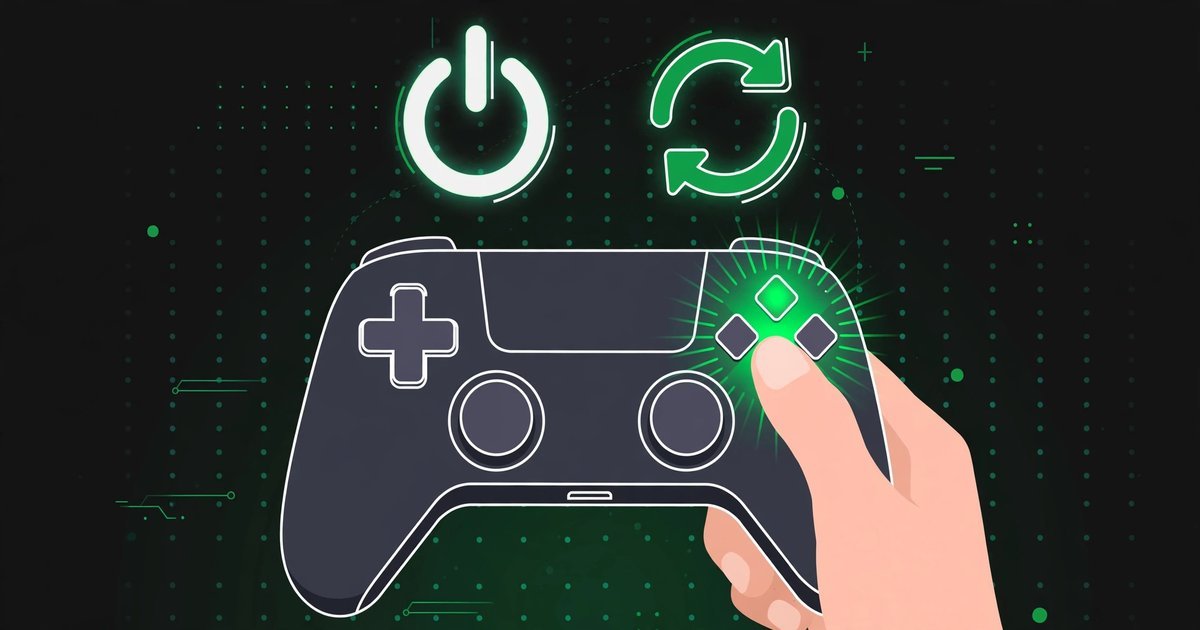
A hard restart, also called a power cycle, is an xbox quick resume not working fix that clears temporary system state that a normal restart does not touch.
Save your progress first, then press and hold the Xbox button on the front of the console for about ten seconds, until the console shuts down completely and the light goes out. Unplug the power cable from the back of the console and wait at least ten seconds, although waiting thirty seconds is a sensible precaution that lets the power supply reset fully. Plug the cable back in, press the Xbox button on the console to start it, and wait for the green boot-up animation.
To test the fix, pick a reliable offline game from our Best Video Games in 2026 list, launch it, switch to another game and switch back. This is a safe and widely recommended xbox quick resume not working fix, and it is worth trying before any step that reinstalls a game. For the official version of these steps, see Microsoft’s guide to restarting or power cycling your console.
Power Mode, Updates and Storage Fixes
SUMMARY: Power mode rarely causes the problem, but updates and storage can, so this xbox quick resume not working fix covers all three checks.
The two power options are Sleep, formerly called Instant-on, and Shutdown, also called Energy Saving. Shutdown cuts standby power to around half a watt but takes longer to boot and cannot wake remotely. Microsoft explains both modes in its power modes support page. Quick Resume snapshots are stored on the SSD, so switching to Shutdown does not erase your suspended games.
What does matter for this xbox quick resume not working fix is updates. In Sleep mode the console can download and install game updates overnight, and each installed update can clear the suspended session for that game.
For damaged saves, Clear local saved games under Settings, then System, then Storage removes only the copies on your hard drive, while your cloud saves download again next time you play. Clear persistent storage under Settings, then Devices and connections, then Blu-ray clears leftover Blu-ray cache data. Never choose Delete everywhere, because that removes the save from the console, the cloud and every console you play on. If you want more help with damaged saves, our guide to fixing a corrupt save file on PC covers the same save-first thinking in detail. Together, these checks form a thorough xbox quick resume not working fix for players whose problem is updates or storage rather than a single game.
When to Reset or Reinstall
SUMMARY: Reinstalling one game and resetting the console while keeping your games are the last-resort steps, and this xbox quick resume not working fix explains when to use them.
The next xbox quick resume not working fix step is to reinstall the affected game, which replaces any damaged files that a resume keeps tripping over. Highlight the game, press Menu, choose Manage game and add-ons, then uninstall it.
The next xbox quick resume not working fix is a console reset that keeps your games and apps. Go to Settings, then System, then Console info, then Reset console, and choose the option to reset while keeping your games and apps. If you share your library with family, our Home Xbox setup and game sharing guide explains how to restore sharing after a reset, and PlayStation players can compare with our PS5 console sharing and offline play setup guide. If the fault continues after a reset, contact Xbox Support with a note of which games fail and which steps you have already tried. A reset is the final xbox quick resume not working fix in this guide, and most players never need it, because the earlier steps solve the problem first.
Frequently Asked Questions
SUMMARY: These answers cover the most common Quick Resume questions, including Xbox One support, online games and whether your saves are safe.
Does Quick Resume work on Xbox One?
No. Quick Resume is only available on Xbox Series X and Xbox Series S, because it depends on the faster SSD and memory design of those consoles. If you play on an Xbox One, every game starts fresh, and no xbox quick resume not working fix can add the feature to that console.
Why does my game restart instead of resuming?
The most common reasons are a game update that cleared the snapshot, an expired online session, a game that does not support Quick Resume, or the session being pushed out when you opened many other games.
Do online games work with Quick Resume?
Most online and live-service games support Quick Resume only in a limited way, because their server session expires while the game is suspended. For those titles, this xbox quick resume not working fix is simple: fully quit the game before switching away, or use the per-game disable setting from the April 2026 update so the game always launches fresh instead of restoring a dead session.
Will removing a game from Quick Resume delete my saves?
No. Removing a game from the Quick Resume group only discards the suspended session snapshot, and your save files are stored separately.
How many games can Quick Resume hold at once?
Microsoft has not published a fixed number, because larger games need more space for their snapshots and the total varies with the titles you play. The console holds several games at once, and opening more games pushes the oldest suspended sessions out.
Does Quick Resume survive turning the console off?
Yes. Quick Resume snapshots are stored on the console’s internal SSD, so they survive a normal shutdown and even unplugging the console, and no xbox quick resume not working fix is needed for that.
For More Updates Visits: GAME CRESTA







One Response